Create Your First AI Song in 5 Minutes
Step-by-step guide to creating your first AI song: describe your idea, let AI write lyrics, pick a style, generate, and listen. No music theory needed.
Este artigo ainda não tem tradução para o seu idioma, então mostramos a versão em Inglês. Estamos traduzindo aos poucos, volte mais tarde.
Never made music before? Don't know chords or notes? No worries. With MuziAI, you just describe your idea, select a few options, and click a button. In about 5 to 10 minutes, you'll have a complete song sung by AI. This guide walks you from the homepage to hearing your track, using just a few simple steps.
Step 1: Open the homepage and view the interface
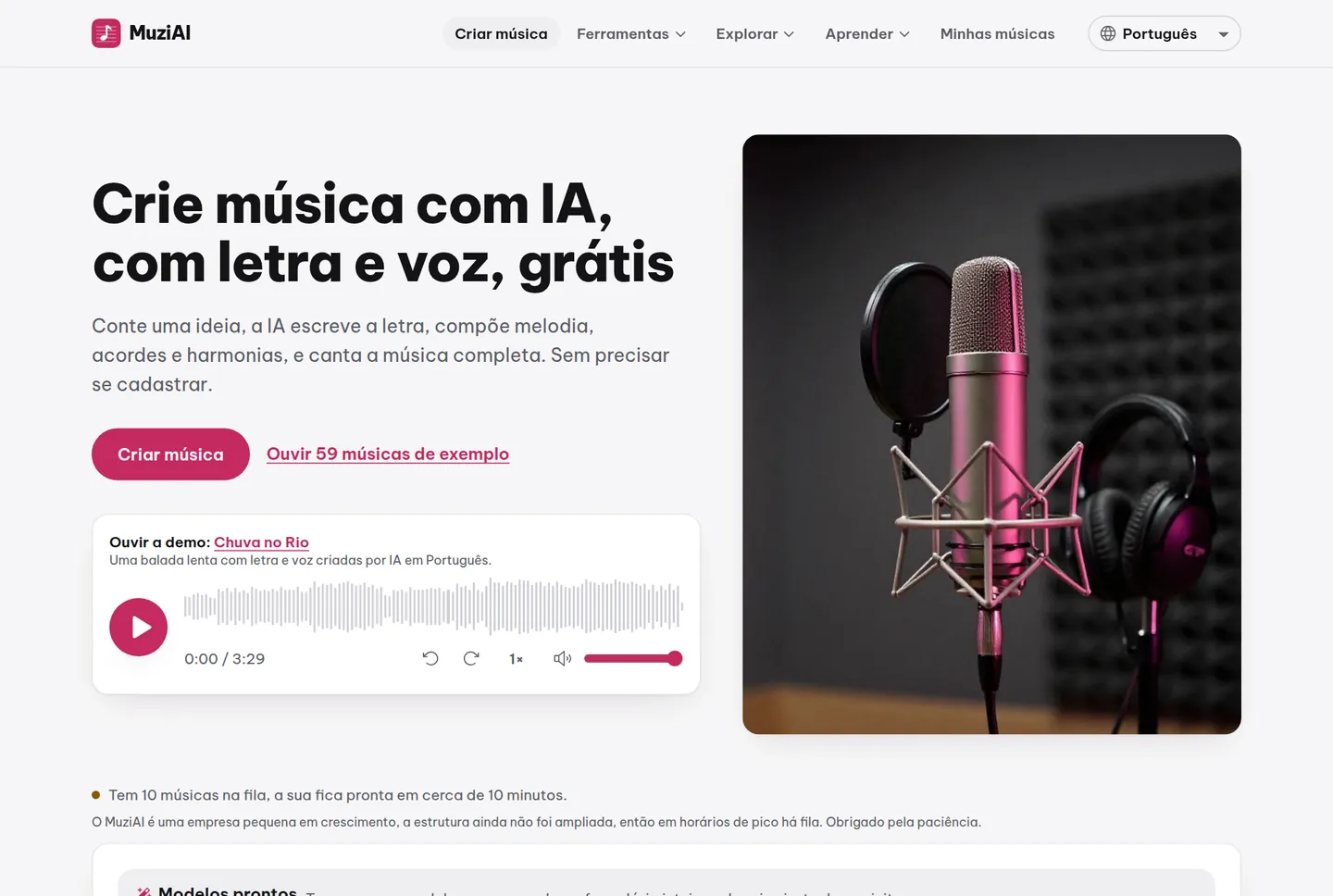
Go to muziai.live. The homepage appears with an idea input box, lyrics tabs, and style selection areas. Everything is in English, and no account registration is needed. You can start right away.
Step 2: Describe your idea to the AI
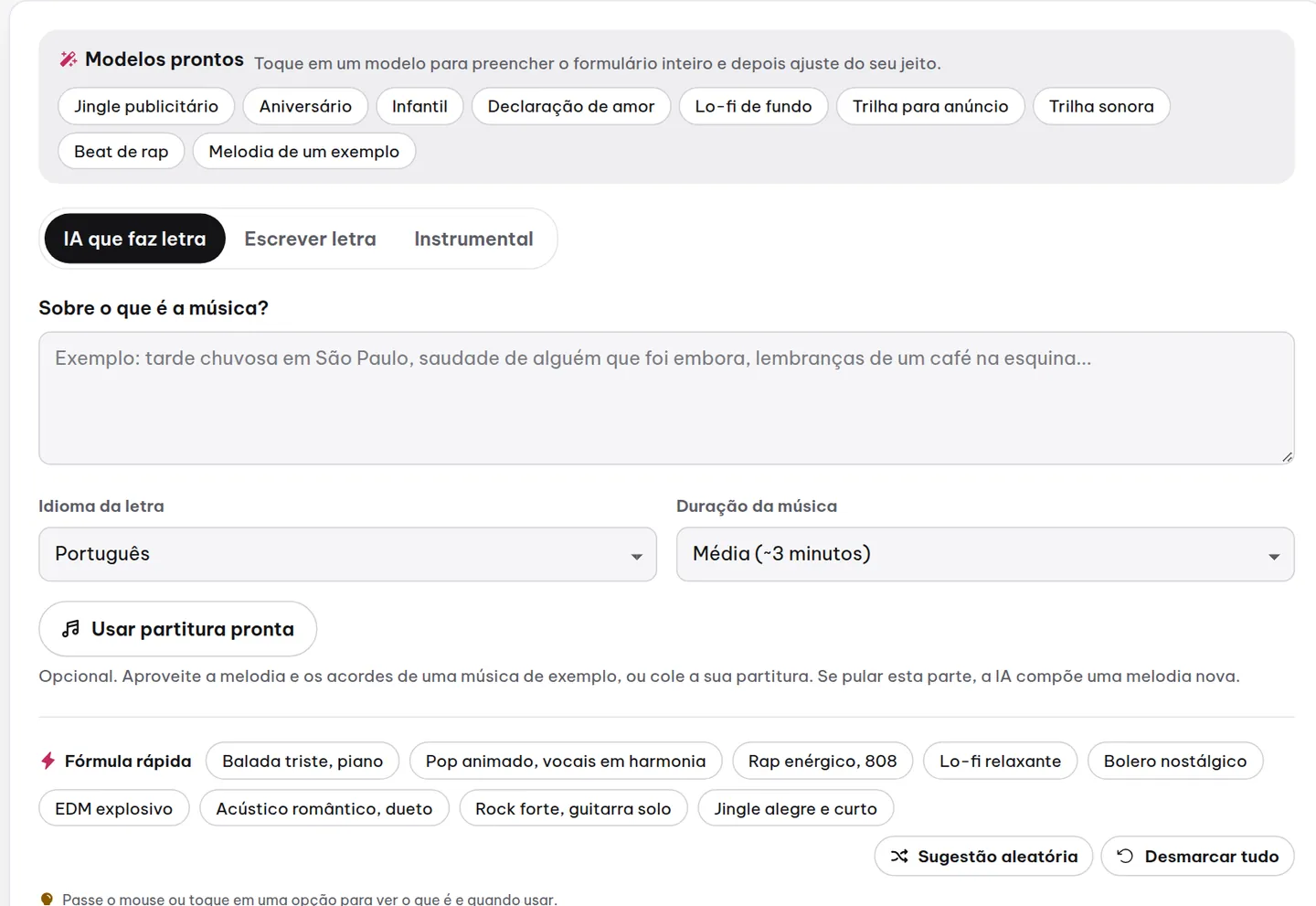
On the AI Lyrics Generator tab, you'll see the What is your song about? box. Write a few sentences describing your idea. For example: 'A song about a beautiful sunny day, feeling happy, wanting to dance.' The clearer your description, the closer the AI lyrics will be to your vision.
Then select the lyrics language as English, and the length as Medium (~3 minutes). Click Generate Lyrics with AI. A few seconds later, the lyrics appear in the box. You can edit them directly if you wish, but for your first time, just leave them as is.
Step 3: Choose a style (or use the quick formula)
The style section has three groups: Style (genre and mood), Voice, and Instruments & Arrangement. Beginners don't need to select everything. The trick is to use the Quick formula at the top.
Click Quick formula, and you'll see 8 preset combinations, like 'Upbeat pop, female voice' or 'Sad ballad, male voice.' Choose one that fits your idea. If you want to pick manually, select genre Pop, mood Happy, voice Female voice, speed Medium. Leave other options as default.

You can also expand Customize more to adjust how the AI creates music, creativity level, or sound quality, but it's not required. For your first time, just keep the defaults.
Step 4: Click create and wait
When you're satisfied, click Create a Song. MuziAI takes you to the result page with a queue status line. The song usually takes 5 to 10 minutes, but it may take longer if many users are active. You can close the tab and return later; the song will still be created at the same URL.
Each user can only have one song waiting at a time, and there is a daily limit. This prevents server overload. When the song is ready, the page updates automatically.
Step 5: Listen to the result
Your song appears with a waveform player. Click the play button to listen. You can scrub by clicking or dragging on the waveform, use arrow keys to skip 5 seconds, or adjust playback speed from 0.75x to 1.5x.

If you like it, click Download MP3 to save it. You can also Share it to Facebook, Zalo, or TikTok via the Share button. To redo with a different style, click Create another version.
Frequently asked questions
I know nothing about music; can I still create a song?
Absolutely. You just describe your idea in English, and the AI writes lyrics, composes music, and sings. You don't need to select notes or chords.
Is the created song public?
No. Your song is on a private page with a random code, not in the library, and not searchable via search engines. Only those with the direct link can listen.
Can I edit the lyrics after generation?
You cannot edit lyrics directly on the sung track. You need to go back, edit the lyrics in the box, and click Create a Song to generate a new version. This is the only way.
To explore more, you can view the sample library to listen to existing songs and use the Use this style button. If you want to write lyrics completely on your own, read the guide to writing lyrics. Have fun creating your first songs!
Teste agora no MuziAI
Grátis, sem cadastro. Diga uma ideia, a IA escreve a letra e canta uma música completa.
Criar música