AI Song Generator: Write Lyrics from an Idea
Learn how to use the 'What is your song about?' box to let an AI music generator craft specific lyrics, choose language, length, and edit before making music.
Got an idea, a story, a memory you want to turn into a song but don't know where to start? MuziAI can write the lyrics for you. This guide shows how to use the AI Write Lyrics tab to turn any idea into full lyrics, pick the language and length, and edit them before creating the track.
Go to the song creation page and pick the AI Write Lyrics tab
Open muziai.live and you'll see the homepage with two main tabs: AI Write Lyrics and I Have Lyrics Already. If you don't have lyrics yet, keep the AI Write Lyrics tab selected.
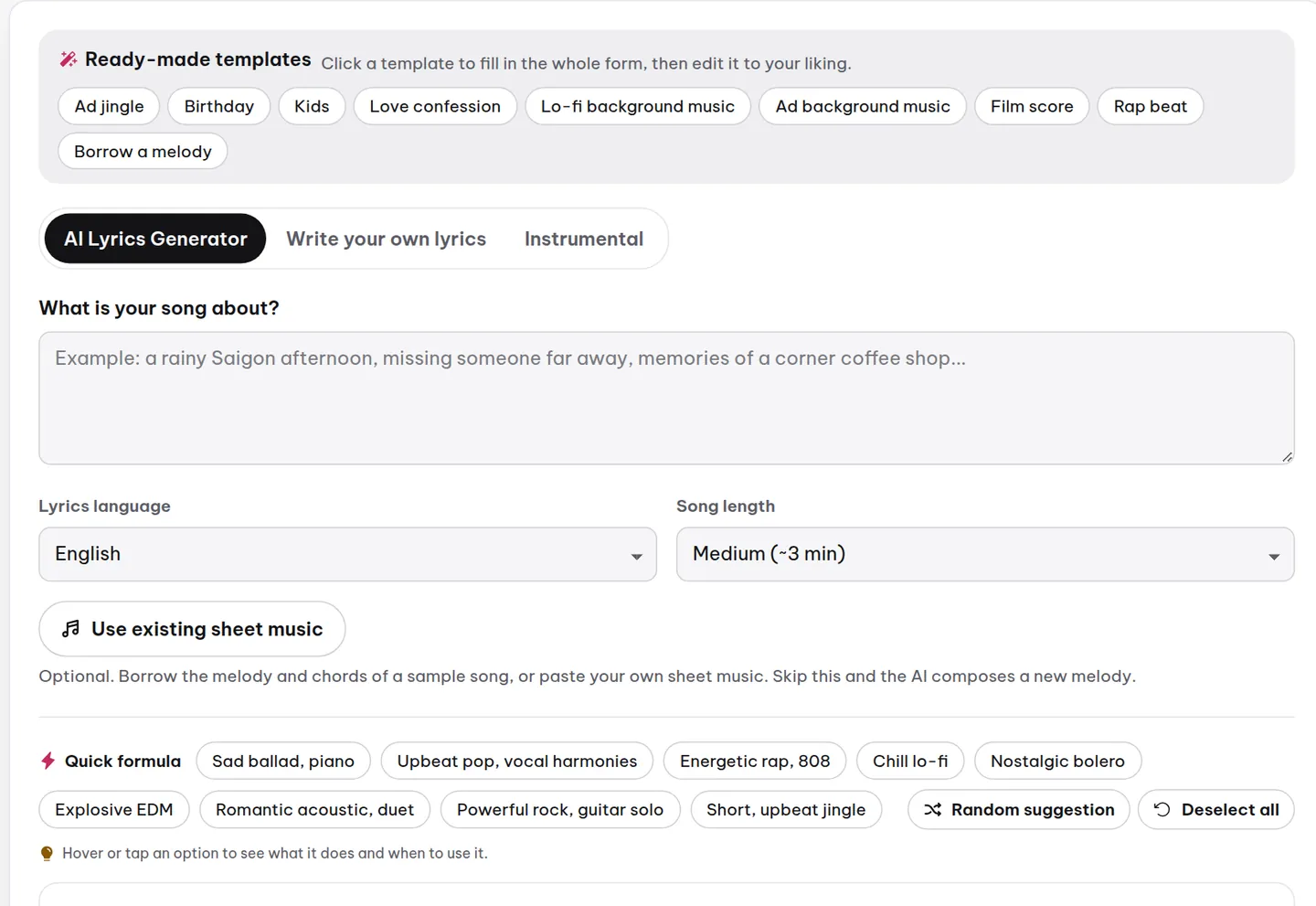
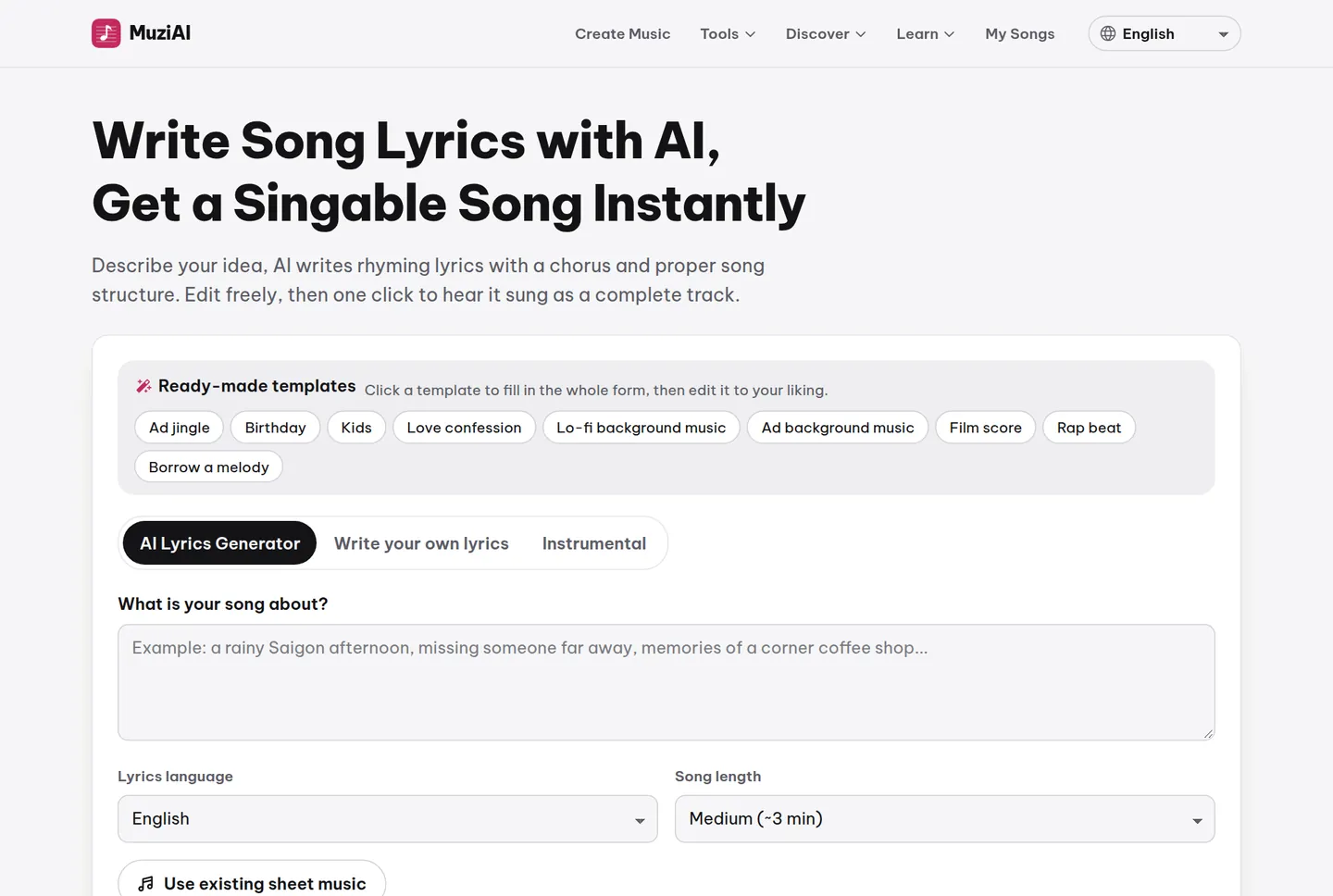
This screen has a What is your song about? box, two dropdowns for lyric language and length, and a blue Write Lyrics with AI button. Below are options for style, vocals, and instruments, but you can skip those for now.
Enter specific ideas into the What is your song about? box
This is the most important step. The more specific your idea, the better the lyrics AI writes. Instead of typing 'a love song,' describe a situation, a place, a time, an emotion, or a small detail.
For example, instead of 'a sad song,' write: 'Rain in London at 5 PM, I'm sheltering under a shop awning, thinking of an ex who moved away, feeling lonely and wistful.'
Or: 'Sunday morning in the countryside, Grandma is making pancakes, the smell fills the yard, I remember running around as a kid, feeling warm and peaceful.'
Choose the lyric language and length
MuziAI supports 15 languages, including English. Pick the language you want for your lyrics. Note that Vietnamese has about 74% pronunciation accuracy, so AI might occasionally miss tone marks. For clearer vocals, English or other languages can be a safer bet.
Length options: Short (~2 min), Medium (~3 min), Long (~4 min). New to this? Go with Medium for a well-structured song that isn't too long.
Click Write Lyrics with AI and see the lyrics appear
After filling in your idea and choosing language and length, hit Write Lyrics with AI. Wait a few seconds, and the lyrics will show up in the box below. You can freely tweak them before creating the song.
Lyrics are split into sections like [Intro], [Verse], [Chorus], [Bridge], [Outro]. Read through, fix lines, add or remove bits. Make sure you're happy before hitting Create Song.
Edit lyrics before making the music
Here's a big plus: you don't have to settle for AI's first draft. Read the lyrics aloud and spot any clunky lines, off-message bits, or parts that don't match the melody in your head. Tweak them directly in the box.
Say AI writes 'you walked away, I stayed behind,' but you'd rather 'you're gone now, the streets are so quiet', go ahead, edit it. Polished lyrics make a better song.
Use the dedicated lyrics page if you want to focus
Prefer writing lyrics first, without choosing style? Check out the Song Lyrics Writer page. It separates the lyric-writing step, so you can focus on words, then return to the main page to create the track.
Frequently asked questions
Can I edit lyrics after the song is generated?
No. Once you click Create Song, the lyrics are locked into the track and can't be changed. To use new lyrics, you'd need to generate a new song.
What if I have no idea at all?
You can leave the What is your song about? box empty and hit Write Lyrics with AI; it will dream up a topic. But the result will feel more generic. Best to type at least a few words, even just 'a sunny day' helps.
I want Vietnamese lyrics but worried about tone mistakes?
Vietnamese has around 74% accuracy, so roughly 3 out of 4 words come through clear. You can lower the risk by picking Medium or Long, since longer songs give AI more time per phrase. If it's a deal-breaker, English is a solid alternative.
Try it now on MuziAI
Free, no sign-up required. Share an idea, and our AI lyrics generator writes and sings a complete song.
Create Song