Give Your Own ABC Melody to an AI Song Generator
Learn how to use the 'Your Melody (ABC notation)' field in MuziAI, an AI music generator, to control the tune. Includes tips for getting ABC from sample songs and the 8000-character limit.
Want your song to have a melody you came up with, not one the AI writes on its own? MuziAI, a free AI song generator, has a field labeled Your Melody (ABC notation) in the technical settings. This guide shows you how to use that field, the conditions for it to work, and tips for pulling an ABC melody from a sample song to get started.
Where is the Your Melody (ABC notation) field?
This field is in the Advanced Options section at the bottom of the song creation page, under the For Tech-Savvy Users group. You need to expand the Advanced Options section to see it. The field is clearly labeled Your Melody (ABC notation).
When you enter ABC notation into this field, the AI will use that exact melody to sing instead of composing its own. This is how you take control of the notes, phrasing, and emotion of your song.
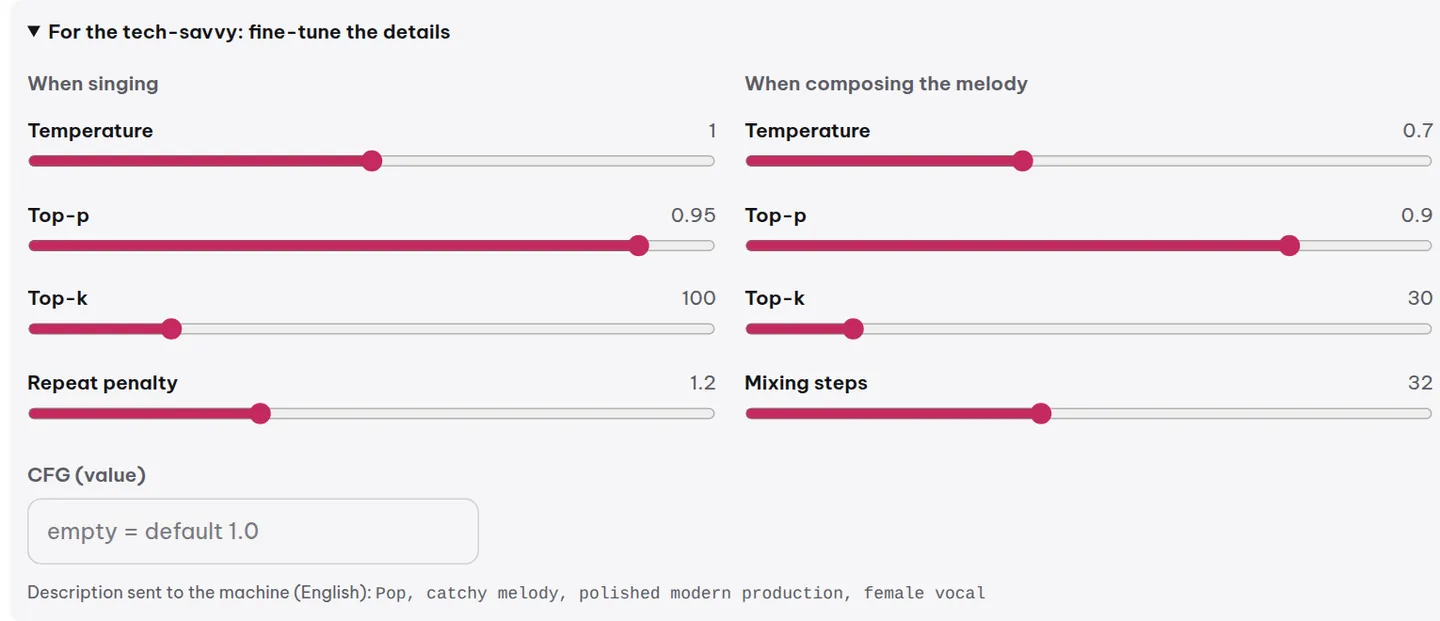
Required: Choose a composition mode that includes melody writing
The ABC field only works if you select one of the two composition modes that include melody writing:
- Compose melody + chords, then sing (default).
- Compose melody only.
If you choose Sing directly, the ABC field is ignored and the AI sings based on its own inspiration. So before entering a melody, check the How AI Composes setting in Advanced Options.
How to enter an ABC melody: a concrete example
ABC notation is a way of writing music using letters, and it's easy to learn. Each note is represented by a letter from A to G, numbers 1 to 7 indicate octave, and apostrophes or commas raise or lower the octave. Here's a simple example for the phrase 'La la la':
X:1
M:4/4
L:1/8
K:C
C2 E2 G2 c2 | A2 G2 E2 C2 |
You can paste this into the ABC field, and MuziAI will understand and sing it. Try it with a melody you like, or grab one from a sample song as shown below.
8000-character limit: enough for a full-length song
The ABC field accepts up to 8000 characters. For a 3-minute song, you typically need about 300–500 characters for the main melody. 8000 characters is more than enough to write the entire melody for the whole song, including intro, chorus, and bridge.
If your melody is longer, trim the less important parts, or just write the main section (like the chorus) and let the AI improvise the rest.
Tips for getting an ABC melody from a sample song
If you're new to writing ABC, the fastest way is to open a sample song in the sample library, look at its ABC code, and use it as a template. Here's how:
- Go to the sample library and pick a song you like.
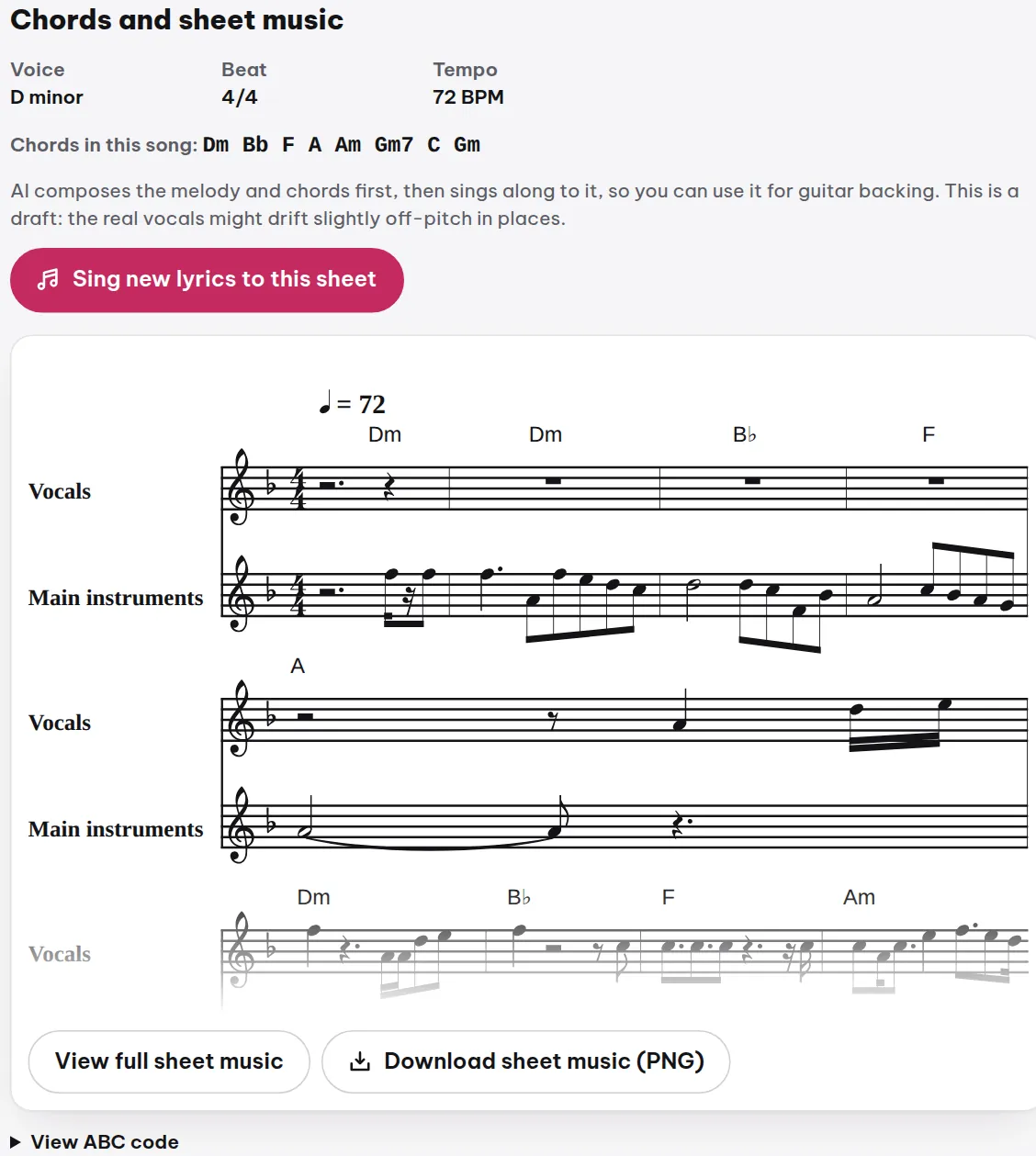
- On the sample song page, scroll down to Chords and Sheet Music.
- Click View ABC code to see the full ABC notation for the song.
- Copy that ABC snippet and paste it into the Your Melody field when creating a new song.
You can tweak a few notes in that ABC snippet to create your own melody instead of writing from scratch. This is the fastest way to learn.
Notes on using an ABC melody
The AI won't always hit every note exactly as written in ABC, but it will stay close to your intent. If the result isn't quite right, try tweaking the ABC, or combine it with other settings like Creativity (choose Safe for closer adherence) and Style Adherence (choose Very Strict).
One more note: the ABC field only accepts musical notation, not lyrics. Lyrics still go in the AI Lyrics or Write Your Own Lyrics tab. If you want to sing a specific melody with existing lyrics, write the lyrics first, then paste the ABC.
FAQ
Can I use ABC for an instrumental track?
Yes. If you choose Compose melody only and leave the lyrics empty, the AI will create an instrumental track following your ABC melody. This is a way to make custom background music.
I pasted ABC but the song still has a different melody, why?
Check the How AI Composes setting: if you chose Sing directly, the ABC is ignored. Also, if Creativity is set to Wild, the AI may improvise more freely. Choose Safe and Very Strict to stick closer to the ABC.
I want to learn ABC from scratch, are there any resources?
Yes. Read Basic ABC Notation for Beginners to learn the rules for writing notes, rhythms, and measures. Then practice by taking ABC from sample songs and modifying it.
Try it now on MuziAI
Free, no sign-up required. Share an idea, and our AI lyrics generator writes and sings a complete song.
Create Song