ABC Music Notation Basics for AI Song Generator
Learn ABC notation to add your own melody to MuziAI. Step-by-step guide to X, M, L, Q, K lines, notes, chords, rests, and bar lines.
After this article, you'll be able to read an ABC score and write a simple melody to paste into the "Your melody (ABC notation)" field on MuziAI, an AI music generator. You'll learn what the X, M, L, Q, and K lines do, how to write notes, durations, rests, chords, and bar lines. No prior music theory needed, just follow along step by step.
What Is ABC Notation
ABC is a way of writing music using plain letters, common in folk music and software. Each line in an ABC file starts with an uppercase letter to declare information. On MuziAI, you paste ABC into the "Your melody (ABC notation)" field under "More options," in the "For advanced users" section.
Main Header Lines: X, M, L, Q, K
An ABC file usually starts with these five lines. You can write them in any order, but following this order makes it easier to remember.
- X: is the tune number, usually X:1. This line helps the software distinguish between tunes in the same file.
- M: sets the meter, e.g., M:4/4 means 4/4 time, four beats per bar. Use M:3/4 for a waltz.
- L: sets the default note length. L:1/4 means each note without a number is a quarter note (one beat in 4/4 time).
- Q: sets the tempo, e.g., Q:1/4=120 means 120 quarter notes per minute. Higher number means faster.
- K: sets the key. K:C means C major, no sharps or flats. K:G means G major, one sharp (F#).
Here's a complete header example for a song in 4/4 time, tempo 100, in C major:
X:1
M:4/4
L:1/4
Q:1/4=100
K:C
Notes and Octaves
Notes are written as lowercase letters a through g, corresponding to A, B, C, D, E, F, G. In ABC, lowercase letters are the middle octave, uppercase letters are one octave lower, and an apostrophe (') after a lowercase letter is one octave higher. For example:
c is middle C, C is C one octave lower, and c' is C one octave higher. Usually, you only need notes from C to c' for a simple melody.
Note Durations and Rests
After each note, you can add a number to indicate duration. 1 is a quarter note (default if not written), 2 is a half note (twice as long), 4 is an eighth note (half a quarter note). A forward slash / shortens a note by half, and a dash - lengthens it by half. Rests are written as z, and they can also have a duration number.
For example: c2 is a half-note C, d4 is an eighth-note D, z is a quarter rest, and z2 is a half rest.
Chords and Bar Lines
Chords are written in double quotes, placed right after the melody note. For example, "C" means play a C major chord, "G7" is a G seventh chord. Bar lines are the | symbol, used to divide measures. End the tune with |] or ||.
Here's a 4-bar phrase in the key of C:
X:1
M:4/4
L:1/4
Q:1/4=100
K:C
"C" c d e f | "G" g a g e | "F" f e d c | "C" c2 z2 |]
This has 4 bars, each with 4 beats. Chords are C in bar 1, G in bar 2, F in bar 3, and C in bar 4. The last note c2 lasts two beats, followed by a two-beat rest.
How to Paste ABC into MuziAI
- Open the song creation page, choose the "Write lyrics yourself" or "AI writes lyrics" tab, and enter your lyrics.
- Scroll down to "More options" and open "For advanced users."
- In the "Your melody (ABC notation)" field, paste the entire ABC content, including the X, M, L, Q, K lines.
- Set "AI composing method" to "Compose melody + chords then sing" or "Compose melody only" so the AI uses your melody.
- Click "Create song" and wait for the result.
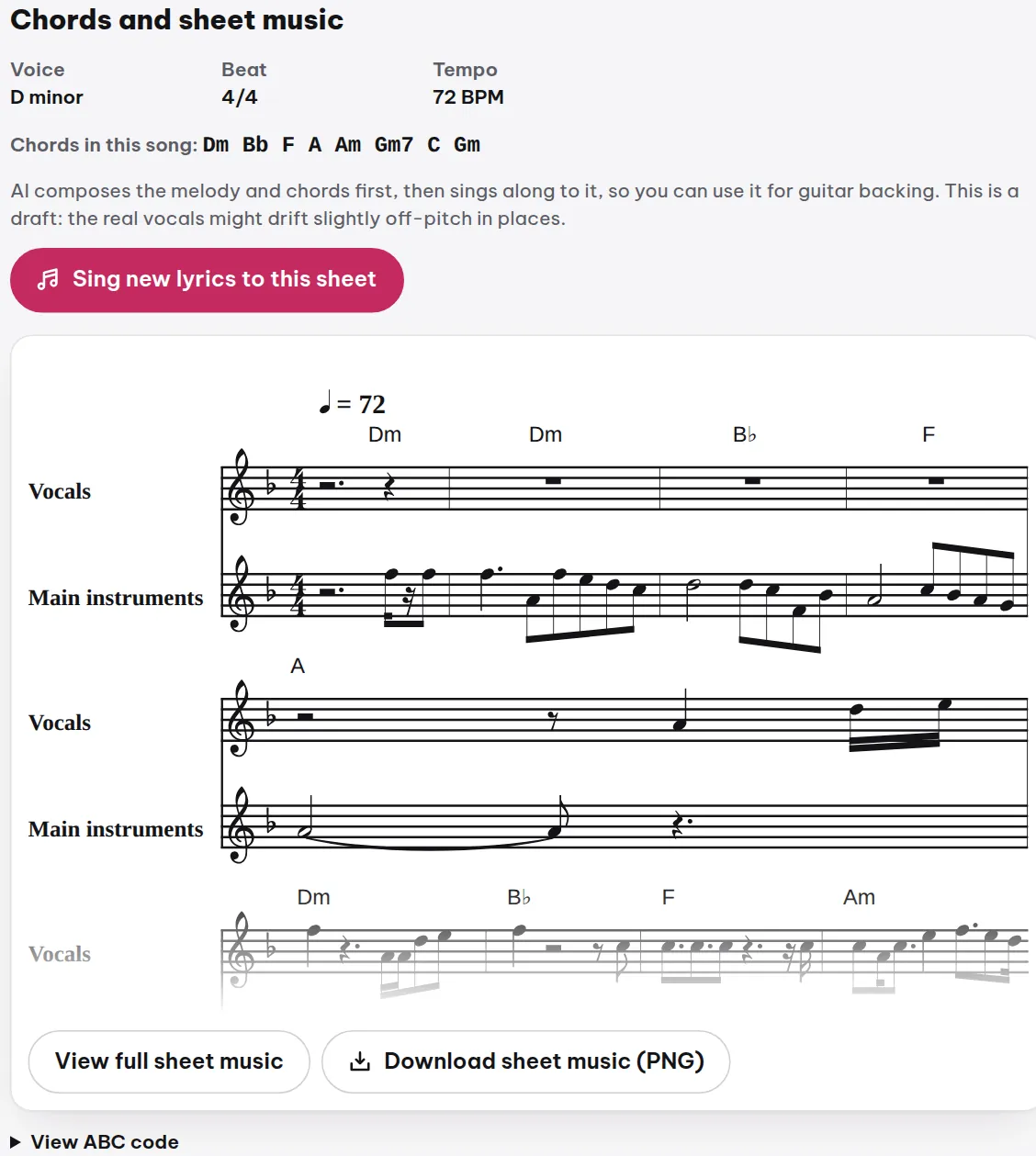
After generating, you can review the ABC code of your song in the "Chords and sheet music" section using the "View ABC code" button to learn how the AI developed your melody.
Frequently Asked Questions
Do I need to write all five X, M, L, Q, K lines?
It's best to include all of them so the AI understands precisely. If missing, it may use defaults, but the result might not match your intent. Just five short lines are enough.
I wrote ABC, but the song doesn't sound like my melody?
Check that you've selected an "AI composing method" that includes melody. Also, in "More options," under "Style adherence," choose "Very strict" so the AI respects your melody more.
Can I use ABC to write chords for the whole song?
Yes. Place chords in quotes before each bar or before the starting note. The AI will use those chords for the arrangement.
Try it now on MuziAI
Free, no sign-up required. Share an idea, and our AI lyrics generator writes and sings a complete song.
Create Song