MuziAI in October: Instrumentals, Ready-Made Templates, Existing Sheet Music
What's new on MuziAI in early October 2026: instrumentals and beats, and ready-made templates for ad jingles, birthday songs and kids' songs. Plus new lyrics sung to existing sheet music, voice types, and covers in another language.
In the first few days of October we fixed and added quite a lot on MuziAI. This post rounds it all up: what's new, where to find it on the page, and how to use it. You don't have to read everything, just jump to the section you care about.
1. Instrumentals: beats and background music
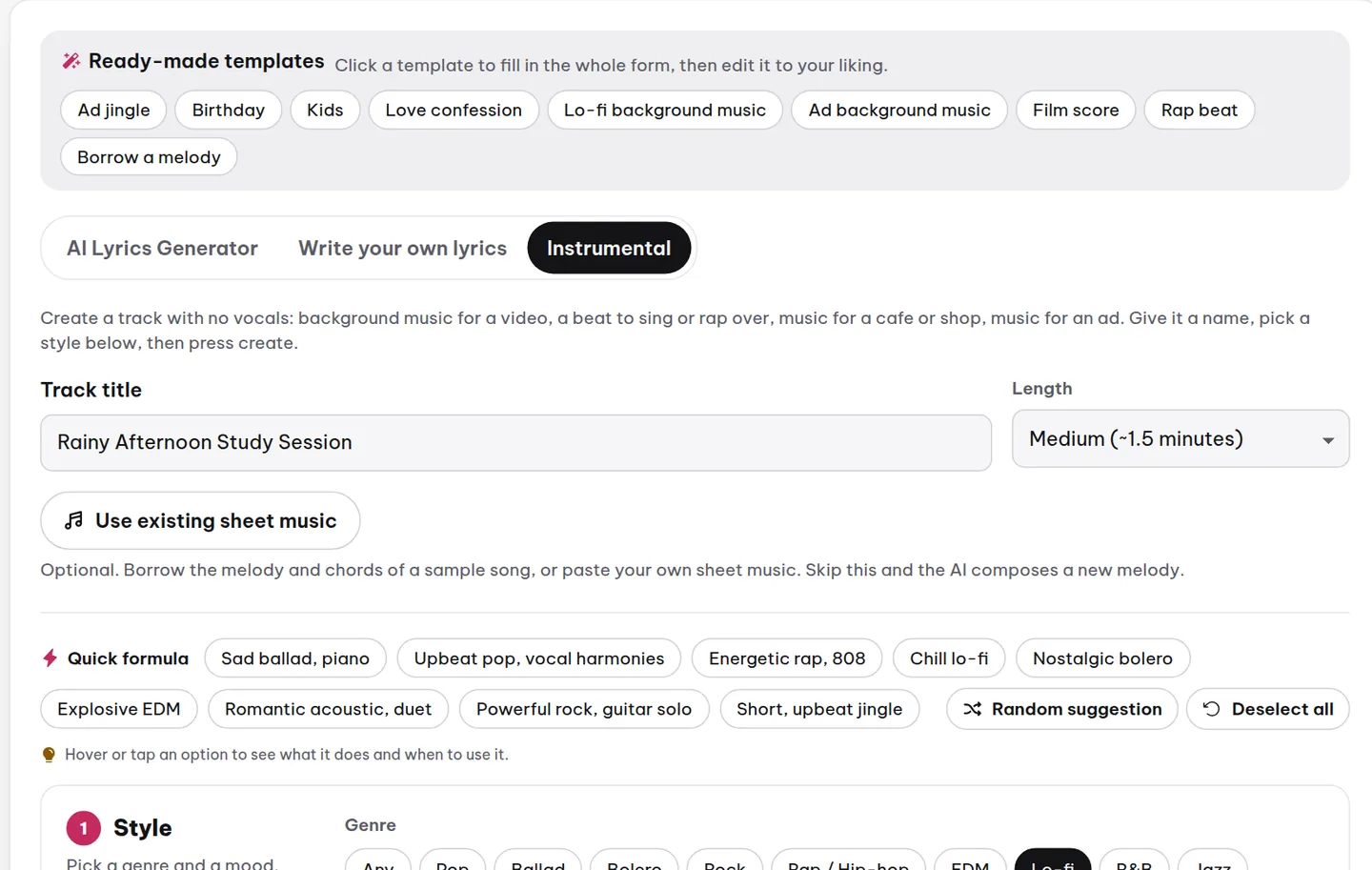
The music maker on the homepage now has a third tab: Instrumental. On this tab the AI creates a track with instruments only and no vocals. It suits background music for a video, music for a cafe or shop, music for an ad, or a beat for you to sing or rap over.
- Click the Instrumental tab.
- Give your track a name and pick a length: short, medium or long.
- Choose the genre, mood, speed and instruments, just as you would for a song.
- Press Create instrumental and wait a few minutes.
Under the hood, the AI still composes a melody and chords as it does for a song, then hands the melody to an instrument instead of a singer. That is why an instrumental has a clear melody rather than just a looping backing track, and why the result page still shows the chords and sheet music.
2. Ready-made templates: one click fills in the form
Right at the top of the music maker there is a row of Ready-made templates. Each template is a common use case, and one click fills in the whole form: a sample idea, genre, voice, instruments and length. Just swap in your own names and details, then press create.
- Ad jingle: a short, fun, catchy song for a shop, a cafe or a product. The AI writes lyrics that repeat the brand name in the chorus and end with an invitation.
- Birthday, Kids, Love confession: the three occasions people make songs for most often.
- Lo-fi background music, Ad background music, Film score, Rap beat: four instrumental templates.
- Borrow a melody: opens the Existing sheet music panel directly (see section 3 below).

The Quick formula row also gets a new formula, Short, upbeat jingle, for anyone who already has an idea or lyrics and only needs the style settings.
3. Existing sheet music: sing new lyrics to a melody you like
Every song the AI sings gets its own sheet music, made up of a melody and chords. You can use that sheet music as a blueprint and have the AI sing a different set of lyrics to exactly the same melody. The feature has been around since the start of the month, but it used to sit in two places under two different names, which made it hard to find. Now it is a single panel, available on all three tabs of the music maker: press the Use existing sheet music button.
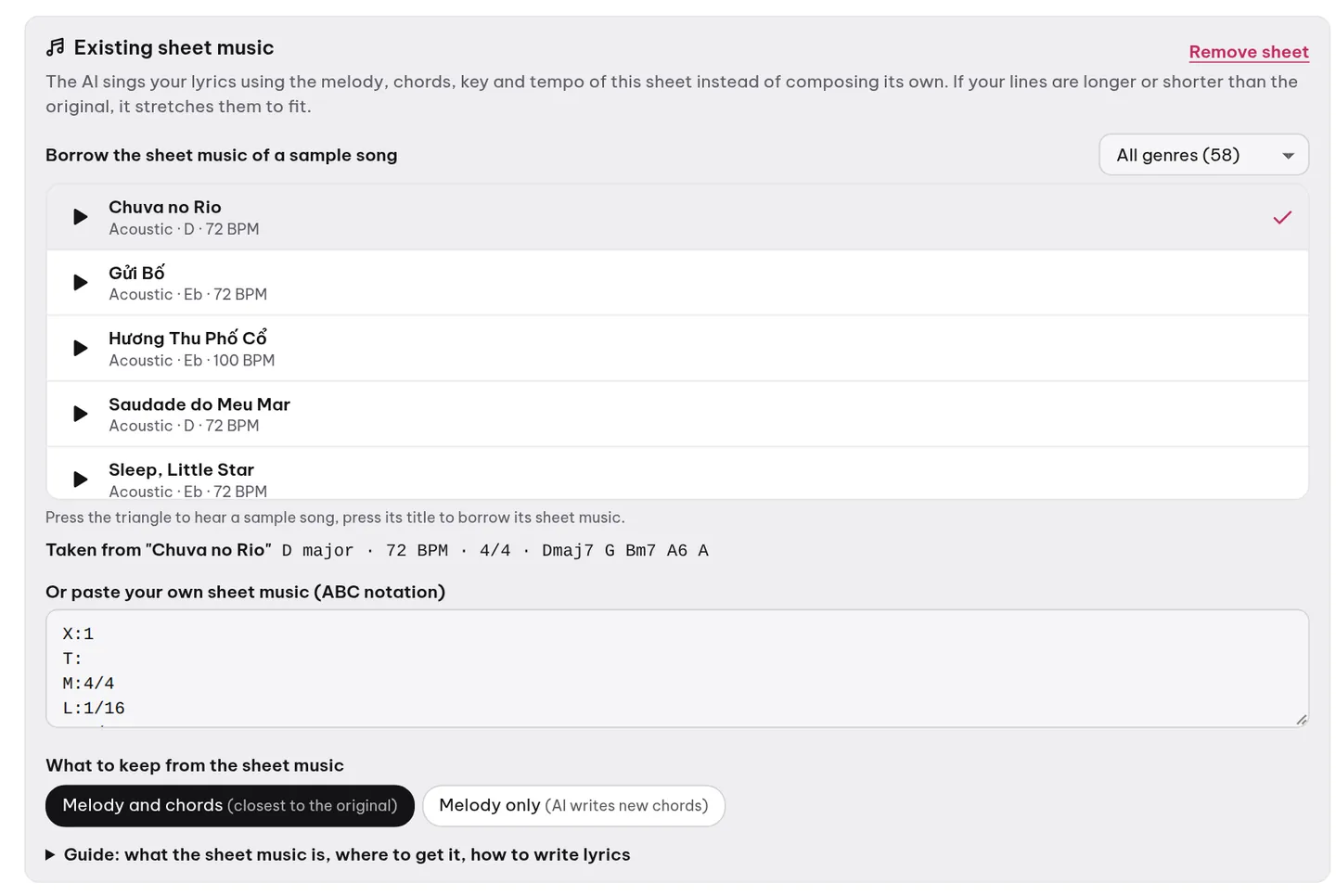
- Borrow the sheet music of a sample song: press the triangle to preview each song, then pick the one you like. No music theory needed.
- Paste your own sheet music: copy it from the "Chords and sheet music" section below any song, or press the "Sing new lyrics to this sheet" button right on that song.
- What to keep: "Melody and chords" gives the result closest to the original song; "Melody only" lets the AI write new chords and a new backing, which suits a complete change of genre.
- No lyrics needed: switch to the Instrumental tab and the AI plays that same sheet music on instruments.
4. No more songs blocked by mistake
Until now, every song had to pass a content filter before it was sung, and that filter sometimes blocked songs by mistake: an ad jingle for a bakery, a song dedicated to someone by name, a birthday song. We have removed that filter. You are now free to choose your subject, and you are responsible for the content you create. The only limit left is sexual content involving children.
The AI lyrics writer has new instructions too: keep the names you give it exactly as they are (people, cafes, products), spell out phone numbers and figures in words so they can be sung, and never water down or change your topic on its own.
5. Voice types, with samples to preview
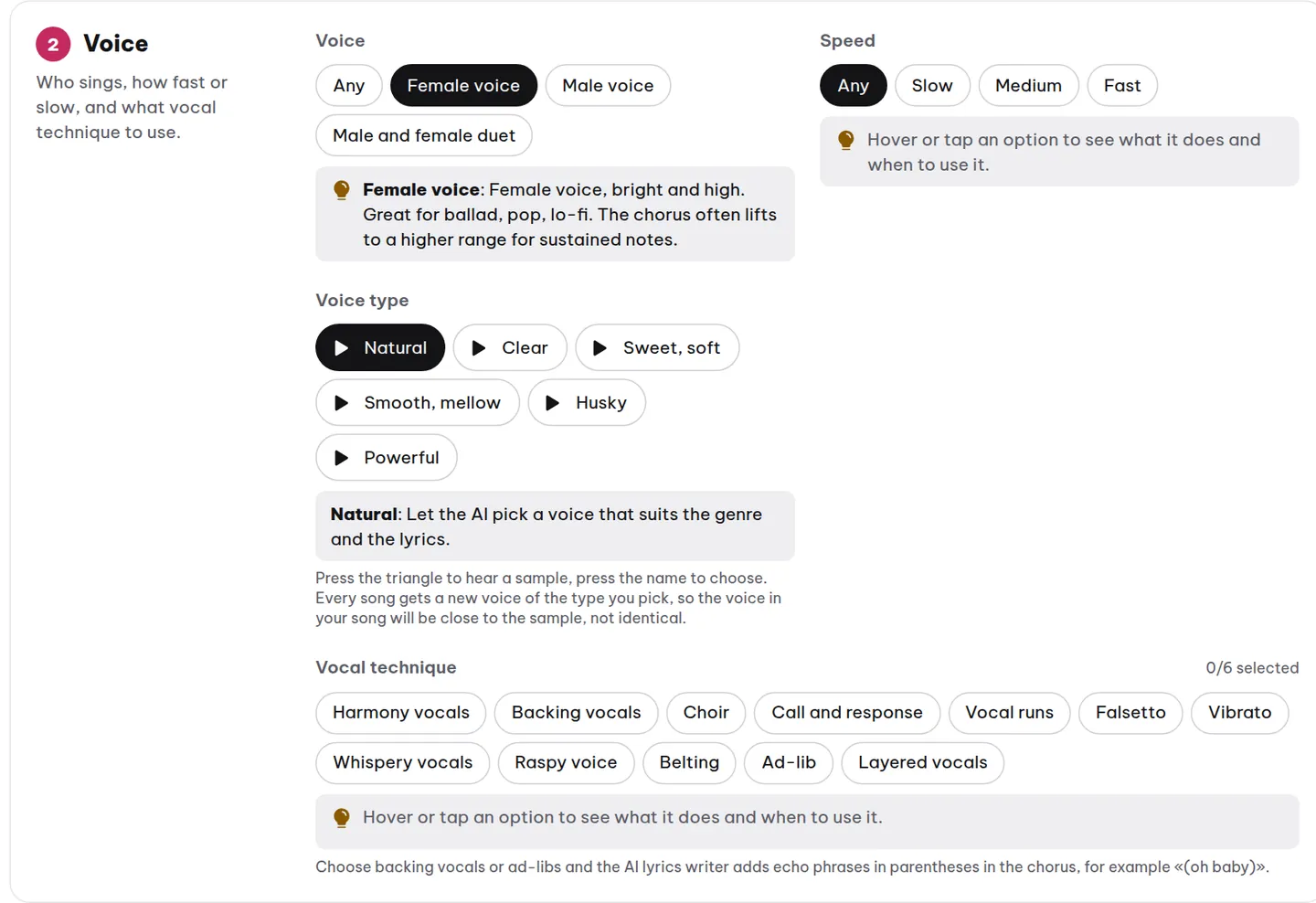
Under Voice there is now a Voice type option: five female voice types (clear, sweet and soft, smooth and mellow, husky, powerful) and three male voice types (high and bright, low and warm, soft and mellow). Each type comes with a sample: press the triangle button to hear it before you choose.
6. Covers and singing on your beat
- Covers in another language: on the AI Cover page, you can have the AI re-sing a song in another language and choose a male or female voice for the new version.
- AI Singer listens to your beat more closely: it measures the tempo and key of the beat, finds where the intro ends so the vocals come in at the right moment, and the result page tells you what it heard so you can adjust if needed.
- Covers without a voice sample: if you don't have a recording of your own voice yet, pick MuziAI's ready-made male or female voice and preview it before you run the cover.
7. Reusable settings and fewer failed songs
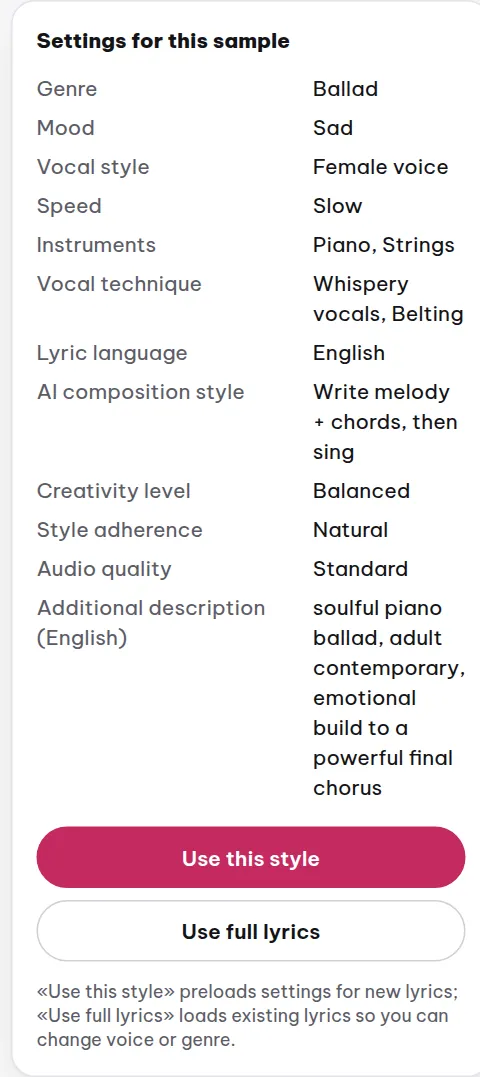
- Reuse these settings: each song's result page shows every setting that made it, including the idea you typed. One button reuses the full set of settings for a new song, and another reuses the lyrics too.
- Songs hit by a machine error are no longer lost: when the machine is busy or glitches for a few minutes, your song waits and then reruns by itself instead of failing. If it still fails, the retry button brings back the exact same lyrics and settings.
- A faster queue at busy times: short songs no longer have to wait for the longest song in their batch.
8. Cookies and privacy
The cookie banner now asks first in countries where the law requires it, including Vietnam, and shows only a short one-line notice everywhere else. You can change your choice anytime using the Cookie Settings button in the footer. Details are on the Privacy page.
Try it now
The quickest way to see the changes is to open the music maker, click one of the Ready-made templates, then press create. If you have feedback or run into a bug, send us a message through the Contact page.
Try it now on MuziAI
Free, no sign-up required. Share an idea, and our AI lyrics generator writes and sings a complete song.
Create Song