My Songs: Find Created Songs Without an Account
Learn how to retrieve AI-generated songs on MuziAI without logging in. Save links, understand browser limits, and delete safely.
You’ve created a song with AI, listened to it, and liked it. But a few days later, you can’t remember the link to open it again. Don’t worry, MuziAI has a «My Songs» page to help you find previously created songs on the same browser. This article will guide you on how to use that page, why the list might disappear, and how to keep your songs safe long-term.
What is the «My Songs» page?
When you create a song on MuziAI, the system automatically saves a list of your creations directly in your browser. No account or password needed. Just open the My Songs page on the same browser and device to see your list.
This page shows the song title, creation time, and a unique link for each song. Click the title to open the song’s listening page.
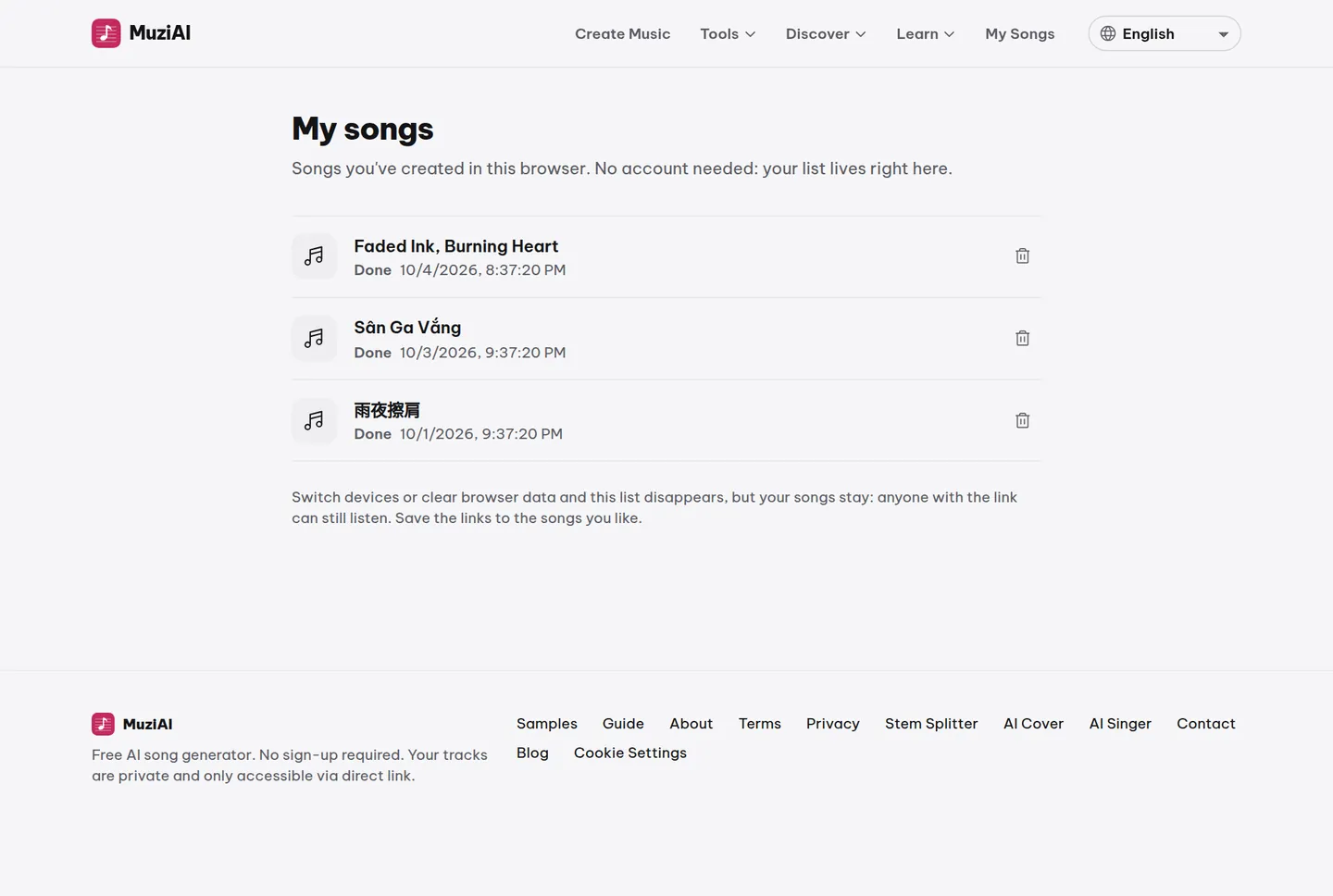
How to open the «My Songs» page
It’s simple, just a few steps:
- Open MuziAI in the browser you usually use.
- Look at the top of the page and find the «My Songs» item.
- Click it. The page displays the list of songs you created in this browser.
If you haven’t created any songs, the list will be empty. Try creating a song and go back to see it appear.
Why might the list disappear?
The «My Songs» list is stored in your browser, not on MuziAI’s servers. This means:
- If you switch to a different computer or phone, the list won’t follow you.
- If you clear browser data, history, or use incognito mode, the list will also be gone.
- If you use a different browser (e.g., Chrome to Firefox), the list won’t be there.
The important thing is: your songs are still on the server. Only the display list is lost. You can still open the song via the original link if you still have it.
How to keep songs safe: save the link
The most reliable way to never lose a song is to save its unique link. Each song has a random code, for example:
muziai.live/bai-hat/8f3k2d9x
You can save this link in notes, send it to your own email, or message it in a private chat. When you need to listen again, just open the link, regardless of the device or browser.
How does the «Delete this song» button work?
On the song result page, there is a «Delete this song» button. This button only appears when you open the song in the exact browser that created it. If you open it on a different device or browser, the button won’t appear.
When you click «Delete this song», the song is permanently deleted from the server. It cannot be recovered. Therefore, make sure you really want to delete it, and have downloaded the MP3 or saved the link if needed.
What happens if I open the song from another device?
Anyone with the link can open your song. They can listen, download the MP3, share it, or even split the beat and vocals. However, they won’t see the «Delete this song» button because that button is only for the browser that created the song.
This means your song isn’t entirely private in the sense that only you can see it. But it’s also not publicly posted anywhere. Only those with the link can access it.
Frequently asked questions
If I clear browser data, will my songs be lost?
The songs are still on the server. Only the «My Songs» list in the browser is lost. If you still have the original link, you can still open the song normally.
Can I view the list of created songs on my phone if I created them on my computer?
No. The «My Songs» list only shows songs created in that specific browser. If you created them on a computer, the list on your phone will be different. You need to save the link to open it from another device.
Does the «Delete this song» button delete other people’s songs if I open a link they sent?
No. The button only appears when you open the song in the correct browser that created it. If you receive a link from someone else, you won’t see the delete button, so you can’t delete their song.
Try it now on MuziAI
Free, no sign-up required. Share an idea, and our AI lyrics generator writes and sings a complete song.
Create Song