Which Languages Can AI Sing Clearly?
MuziAI sings in 15 languages, from Portuguese at 99% clarity to Vietnamese at 74%. See the clarity chart, why Vietnamese scores low, and tips to improve.
You'll learn which languages MuziAI, an AI song generator, can sing, which are clearest, and why Vietnamese sometimes sounds off. Then you can pick the right language for your song.
15 Languages MuziAI Can Sing
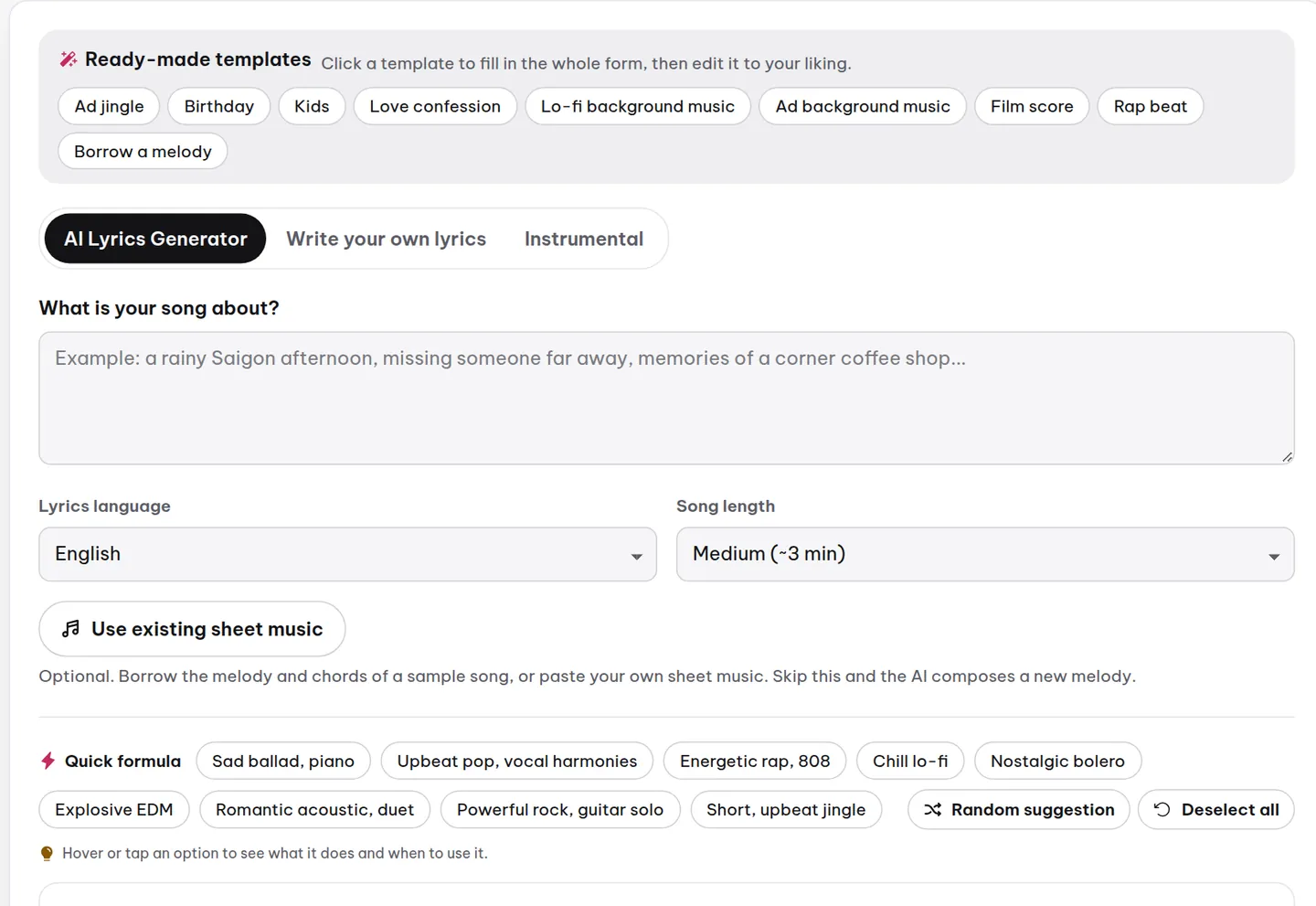
When creating a song, choose the lyric language in the AI Lyrics or Write Your Own tab. MuziAI supports 15 languages: Vietnamese, English, Chinese, Japanese, Korean, French, German, Spanish, Portuguese, Italian, Russian, Thai, Indonesian, Hindi, and Dutch. You can have AI write lyrics or paste your own.
Which Language Is Clearest? Measured by Listening AI
MuziAI had a listening AI review sample songs and measured the median percentage of correctly recognized syllables. Results:
Clearest: Portuguese 99%, Japanese 97%, German 96%, Dutch 96%, Spanish 96%, Thai 96%, English 95%, French 94%.
Fairly clear: Korean 91%, Indonesian 91%, Hindi 88%, Chinese 83%.
Needs attention: Vietnamese 74% – lower because tones get distorted by melody. Italian and Russian are in testing and may be unstable.
Why Vietnamese Only Scores 74%?
Vietnamese has six tones. When AI sings, rising and falling melody can alter tones, e.g., 'ma' becomes 'má' or 'mạ'. The listening AI only recognizes 74% of syllables correctly. This doesn't mean the song is bad, just that some words sound off.
How to Choose a Language When Creating a Song
- Open MuziAI, select the AI Lyrics or Write Your Own tab.
- In the language dropdown, click and choose your desired language.
- If using AI Lyrics, type your idea in What's the song about?, pick length, then click Write Lyrics with AI.
- If writing your own, paste lyrics, check the line counter, then click Create Song.
Tips to Improve Clarity When Singing in Vietnamese
Even though Vietnamese scores low, you can still create decent songs. Try:
- Choose Slow tempo to reduce tone distortion.
- Avoid Melisma or Breathy Voice techniques as they blur tones.
- Write short lyrics with fewer heavy-tone words (like those with falling tones) at line ends.
- Listen and regenerate multiple versions using Create Another Version.
Experiment with Sample Songs
In the sample library, you can listen to songs in many languages. Each sample includes lyrics and chords, helping you compare clarity. If you like a style, click Use This Style to apply it to your song.
Frequently Asked Questions
Can I create songs in Italian or Russian?
Yes, but these are in testing. Quality may be inconsistent, with possible lyric errors or unclear pronunciation. For best results, use officially supported languages.
How can I make AI sing Vietnamese more clearly?
Choose a slow tempo, avoid melisma, write short lyrics, and generate multiple versions. You can also check the dedicated guide for Vietnamese singing tips.
What do the percentages mean?
They represent the percentage of syllables the listening AI recognized correctly. 99% means nearly every word is clear. 74% means about 3 out of 4 words are correct; the rest may have tone errors or mispronunciations.
Try it now on MuziAI
Free, no sign-up required. Share an idea, and our AI lyrics generator writes and sings a complete song.
Create Song